
⚡ Quick Answer
If you're training a LoRA for FLUX.2, Qwen-Image, or Z-Image Turbo, use AI-Toolkit — it's the only one of the three still-popular trainers that supports all three models. If you're training SD 1.5 or SDXL on a lower-VRAM card, Kohya still has the deepest documentation and the lowest VRAM usage. FluxGymis falling behind: it can't train any 2026 model yet, and the GitHub request to add FLUX.2 support has sat open since November 2025.
If you searched "AI-Toolkit vs Kohya"because FluxGym stopped working the way you expected, you're not alone — that's the exact reason most people land on this comparison in 2026. FluxGym was built by combining AI-Toolkit's simple interface with Kohya's training backend, and for FLUX.1 it worked well. But newer models have moved past what FluxGym's combination can handle, and this guide walks through exactly where each of the three tools stands today.
What Changed? Why ComfyUI Creators Moved Off Kohya and FluxGym in 2026
A LoRA trainer(this is the software you run to teach a specific style, character, or concept to an existing AI model — the result is a small file called a LoRA that you load alongside the base model) used to be a simple choice. Through most of 2025, Kohya and FluxGym covered almost everyone's needs, since most people were training LoRAs for SD 1.5, SDXL, or FLUX.1.
That changed when three new model families arrived close together: FLUX.2, Qwen-Image, and Z-Image Turbo. Each one needs a trainer that specifically supports its architecture — you can't just point an old trainer at a new model and expect it to work. AI-Toolkit added support for all three quickly. Kohya and FluxGym did not move at the same pace, and that gap is the entire reason this comparison exists.
What Is AI-Toolkit and What Makes It Different?
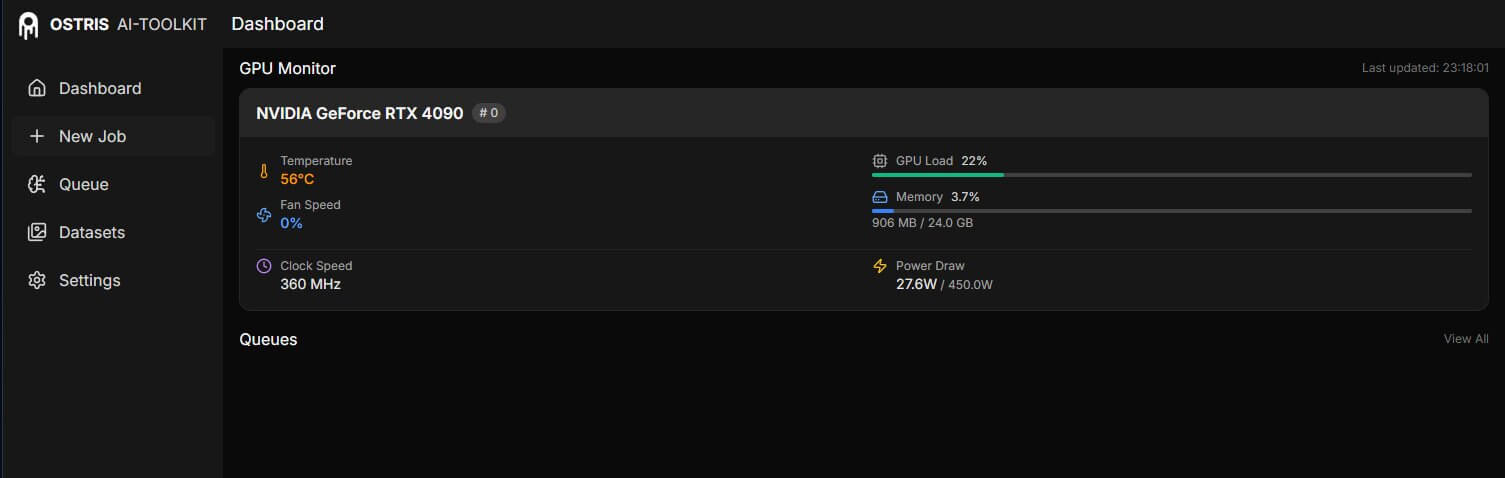
AI-Toolkit is a LoRA training tool built by a developer who goes by Ostris, released under the MIT license (this means it's free, open-source, and anyone can use or modify it without restriction). Instead of one large program that tries to handle every model the same way, AI-Toolkit uses what's called an extension system — each model family (FLUX.2, Qwen-Image, Z-Image Turbo, and others) gets its own dedicated add-on with settings built specifically for that model. This is why AI-Toolkit has been able to add support for new models faster than Kohya or FluxGym.
Training configs in AI-Toolkit are written as YAML files (a plain-text settings format, similar to a checklist you can copy, edit, and reuse) instead of clicking through a graphical interface. This sounds intimidating the first time, but it means once you have a working setup, you can save it, share it, or reuse it exactly as-is for your next LoRA.
Is Kohya SS Still Worth Using in 2026?
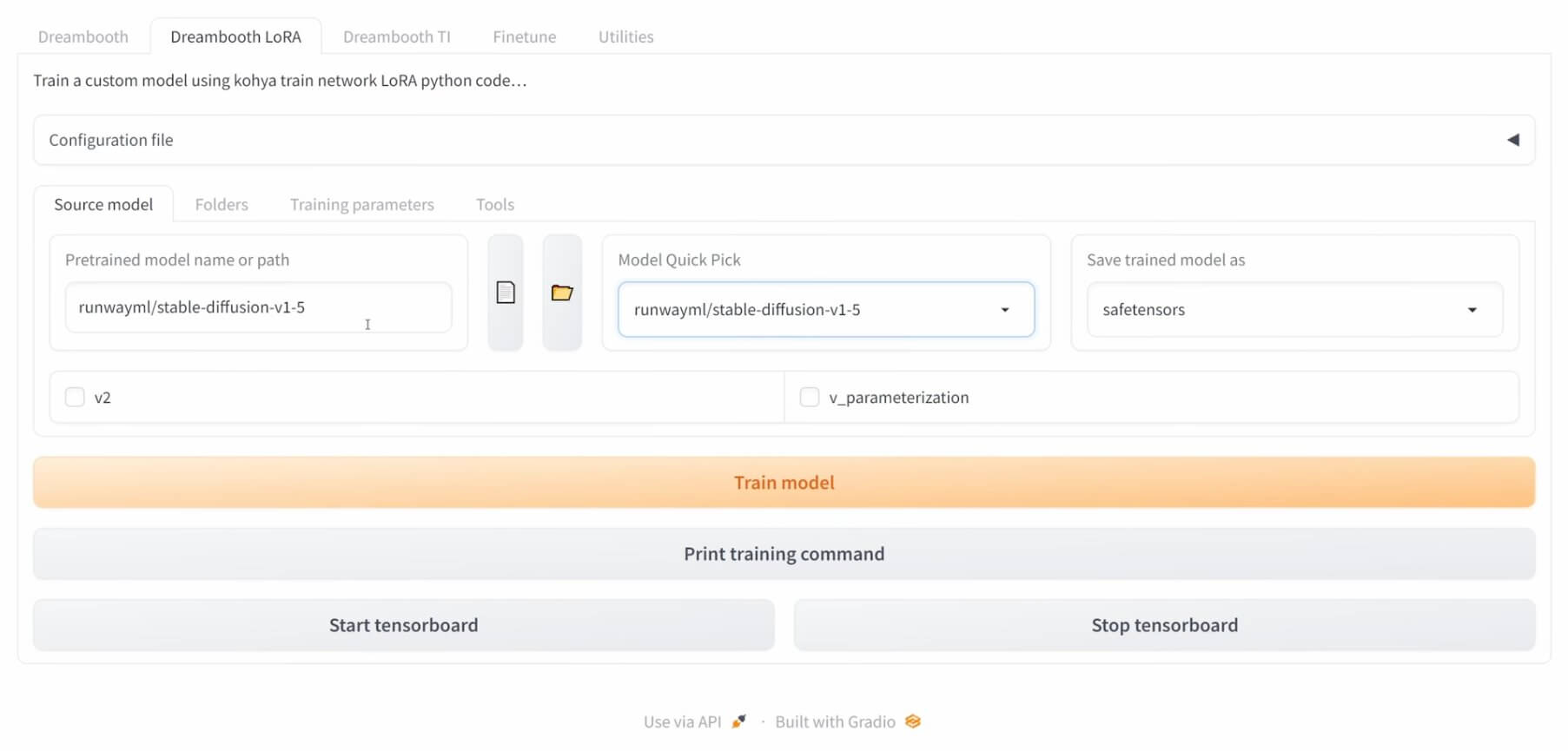
Kohya SS has been the reference LoRA trainer since 2022, and its core training code is what several other tools, including FluxGym, are built on top of. For SD 1.5 and SDXL, it's still one of the strongest options available.
Its biggest advantage is a feature called the fused backward pass (a way of combining two steps of the training math into one, so less information needs to stay in memory at the same time). In practice, this can cut VRAM usage by up to 60% — an SDXL LoRA that would normally need 24GB can train on roughly 10GB with the right settings. Neither AI-Toolkit nor FluxGym matches this level of memory optimization for SDXL training.
Kohya also has the deepest well of community knowledge of the three tools — years of tutorials, shared configs, and troubleshooting threads exist for nearly every problem you're likely to run into.
Why FluxGym Stopped Keeping Up With New Models
FluxGym was created by developer cocktailpeanut as a simplified front end that combines AI-Toolkit's easy-to-use interface with Kohya's training backend underneath. Its whole purpose was making FLUX.1 LoRA training possible on lower-VRAM GPUs — 12 to 20GB — which was genuinely useful when FLUX.1 was the newest model around.
The problem is that FluxGym depends on both of the tools it's built from staying current, and that hasn't happened. A GitHub request asking for FLUX.2 support has been open since November 2025 with no resolution as of this writing. FluxGym currently cannot train FLUX.2, Qwen-Image, or Z-Image Turbo LoRAs at all.
This doesn't make FluxGym useless — if you're specifically training a FLUX.1 LoRA on a lower-VRAM card, it still does that job well. But it's no longer a safe default choice if there's any chance you'll want to train a newer model soon.
Which Models Can Each Trainer Actually Train?
This is the table worth bookmarking — it's the fastest way to check whether your tool can train the model you have in mind, as of August 2026.
| Model | AI-Toolkit | Kohya | FluxGym |
|---|---|---|---|
| SD 1.5 / SDXL | Supported | Best support | Supported (SDXL limited) |
| FLUX.1 (dev / schnell) | Supported | Supported | Supported (its main use case) |
| FLUX.2 (dev / klein) | Best support | Experimental | Not supported |
| Qwen-Image | Supported | Not supported | Not supported |
| Z-Image Turbo | Supported | Not supported | Not supported |
The format each tool produces is portable regardless of which one you train with — a finished LoRA .safetensorsfile loads into ComfyUI's LoRA loader nodes the same way no matter which trainer made it. What doesn't transfer between tools is the training setup itself — a Kohya config file won't open inside AI-Toolkit, and vice versa.
Should You Try OneTrainer Instead?
OneTrainer is a fourth option worth knowing about — it's a Kohya-based tool with a more modern graphical interface and broader model-family support than raw Kohya, including some FLUX.2 support. It's picking up attention in 2026 comparisons, particularly from Kohya users who want a cleaner interface without switching to a config-file-based workflow.
For a ComfyUI-first audience specifically, it's not the default recommendation yet. Its community and documentation are smaller than Kohya's, and its FLUX.2 training track record is less proven than AI-Toolkit's. If you're curious, it's worth a look once you're past your first few LoRAs — not before.
What Settings Does Your GPU Actually Allow?
The GPU you have often decides the tool you should use more than personal preference does. Here's the practical breakdown by VRAM tier:
| GPU / VRAM | What Actually Works |
|---|---|
| 8GB (RTX 3070, 4060 Ti) | SD 1.5 with Kohya only. SDXL and FLUX.2 are not practical at this tier on any of the three tools. |
| 12–16GB (RTX 4070, 3080, 5070) | SDXL trains comfortably on all three. FLUX.2 klein (4B) trains on AI-Toolkit; klein 9B benefits from the higher end of this range. |
| 24GB+ (RTX 3090, 4090, 5090) | Everything below FLUX.2 dev is comfortable on all three tools. FLUX.2 dev trains on AI-Toolkit with quantization; Kohya’s FLUX.2 path is still experimental at any VRAM tier. |
For a full walkthrough of VRAM requirements across ComfyUI's image and video tools — not just training — see the full VRAM and hardware guide.
Which LoRA Trainer Should You Use?
Here's the short version, based on what you're actually training:
- Training FLUX.2, Qwen-Image, or Z-Image Turbo? Use AI-Toolkit. It's the only tool of the three with real support for any of these.
- Training SD 1.5 or SDXL on 8–16GB VRAM? Use Kohya. Its fused backward pass gets you the most out of limited hardware.
- Training FLUX.1 on 12–20GB VRAM and want the simplest possible setup? FluxGym still works for this specific case.
- Not sure which model you'll train next? Start with AI-Toolkit — it covers the widest range of current and upcoming models, so you won't need to switch tools again soon.
How to Install AI-Toolkit and Start Training in ComfyUI
If AI-Toolkit is the right call based on the sections above, here's the short version of getting started. We cover the full install — including RunPod cloud setup for anyone without a local 24GB GPU — in a dedicated tutorial.
- Clone the AI-Toolkit repository and install its requirements. This downloads the training software itself onto your computer.
- Launch the web UI. This opens a browser tab where you set your dataset, model, and training settings without touching a config file directly.
- Point it at your training images and choose your model extension — FLUX.2, Qwen-Image, or whichever model you're training.
- Start the training job and watch the progress from the same web UI. Training time depends heavily on your GPU and dataset size.
For the complete step-by-step version of this, with exact commands and screenshots, see Install AI-Toolkit for LoRA Training. If you've never trained a LoRA before and want the basics first, start with how LoRAs work in ComfyUI.
Common Errors When Switching Trainers
"This node type does not exist" in ComfyUI after installing AI-Toolkit
What causes it: If you installed AI-Toolkit's companion ComfyUI nodes, ComfyUI only loads new node definitions on startup — so this error appears when ComfyUI hasn't been restarted since the install.
How to fix it: Fully close and reopen ComfyUI, not just refresh the browser tab. If the error persists, open ComfyUI Manager and check for a failed or incomplete install of the missing node.
A LoRA trained in one tool loads but produces garbled or broken output
What causes it: Different trainers can save their weight names in slightly different formats internally, even though the file loads without an error. Mismatched formats are rare between AI-Toolkit and Kohya on the same base model, but they do happen after a tool update.
How to fix it: Confirm you're using the matching base checkpoint the LoRA was trained against — a FLUX.2 LoRA will not behave correctly on a FLUX.1 checkpoint. If the base model matches and the output is still broken, retrain with the latest version of your chosen trainer, since older builds occasionally have format bugs that get patched.
Out-of-memory errors when trying AI-Toolkit on a lower-VRAM card
What causes it: Trying to train the full FLUX.2 dev model on a GPU with less than 24GB VRAM.
- Switch to the FLUX.2 klein extension instead of dev — klein's 4B variant trains on 12GB.
- Lower your training resolution and batch size in the YAML config.
- If neither works, use a cloud GPU through AI-Toolkit's Modal.com integration instead of training locally.
Frequently Asked Questions
What to Do Next
Install AI-Toolkit and train your first 2026-model LoRA.
If FLUX.2, Qwen-Image, or Z-Image Turbo is anywhere on your list, this is the one setup step that unblocks all three.
Published: 2026-08-18 · Last updated: 2026-08-18 · Model support compared directly against each tool's current GitHub repository.
Join the discussion
Sign in to leave a comment or reply
No comments yet
Be the first to share your thoughts!